


2nd Phone Number - Call & Text
4.031.63K Reviews
App Specs
- Version
- 6.3.0
- Updated On
- License
- Free
- Downloads
- 10,000,000+
- Developer
- TalkU International Inc.
- Categories
- Communication
- Platform
- Android
Screenshots
 Analysis by AppCompare
I find a second number most useful when it creates a clear boundary, not when it is treated as a replacement for a regular mobile plan. 2nd Phone Number - Call & Text is a communication app from TalkU International Inc. built around that simple idea: keep another line on the phone you already carry. That can make it easier to share a number for a particular purpose without handing out your everyday contact details.
What you get before spending
The app is free to download, so trying it does not require an upfront purchase. It has in-app purchases priced from $1.99 to $79.99 per item, which is a wide enough range that I would check the current options in the app before committing. Those prices alone do not tell me which option suits a particular calling pattern, so I would compare the available purchase details with how often I expect to use the line rather than assume that the free download covers every need.
For context, its average rating is 4.0 from around 355,000 ratings, and it has over 10 million installs. Those figures suggest that many people have tried it, but they cannot tell you whether the service fits your own needs. I would treat the free access as a chance to judge the setup and day-to-day flow, then decide whether any purchase makes sense for my use.
Where a second line earns its place
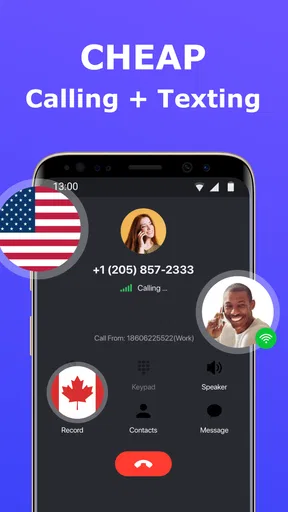
Imagine this: You're running a small business, and you want to keep your personal and professional lives separate. Or maybe you're diving into the world of online dating and prefer a layer of privacy. 2nd Phone Number - Call & Text offers a virtual solution to these everyday dilemmas by providing an additional line right on your smartphone.
Setup and Usability
Getting started with the app is a breeze. After downloading it from the app store, I was guided through a straightforward setup process. Choose your area code, select a number, and boom, you’re ready to go. No need to tinker with complex settings or wait for activation. It’s quick, intuitive, and very user-friendly.
The interface is clean and modern, which I really appreciated. All the important features are right at your fingertips, making navigation a smooth experience. You can easily switch between your primary and secondary numbers without any hiccups.
Features That Stand Out
What really impressed me about this app are the features it offers:
Worth Reading Before You Choose

EA SPORTS FC Mobile 26 Is a Bigger Football Game, but It Takes Time

Flipboard Shows What News Apps Must Do Beyond the Feed

Switching to Android Auto Means Rethinking Your Driving Routine

Google Calendar Makes a Crowded Week Easier to Manage

Ludo King Makes the Most of the Minutes Between Plans

Baby Panda World Brings Quick Play to Modern Phones, but Its Game Library Feels Busy
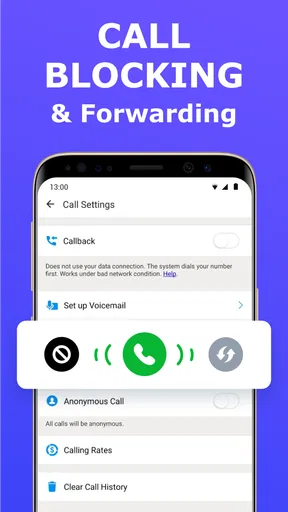
- Custom Voicemail: You can set up a separate voicemail for your second number, which is a game-changer for keeping things organized.
- Call Blocking: Got a pesky caller? Block them with ease and get back to enjoying peace of mind.
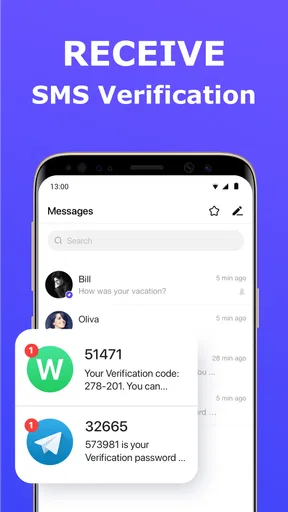
- Text Messaging: Send and receive texts just like you would with your regular number. It even supports MMS, which means you can share photos and videos too.
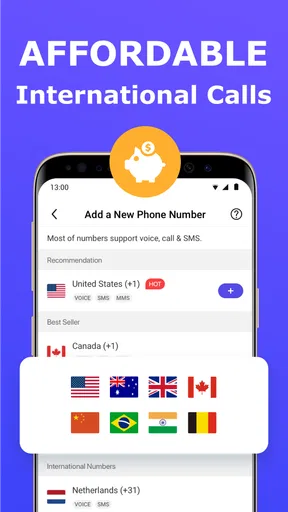
- International Calling: Need to make a call overseas? The app offers competitive rates, making it a cost-effective solution.
A practical way to keep contacts separate
A useful habit is to decide what the second number is for before sharing it. For example, I would reserve it for appointment inquiries, local marketplace listings, or a temporary project, and keep family and long-standing contacts on my main line. That makes incoming calls easier to interpret: the number being contacted gives me context before I answer. It also makes the line less useful if I hand it out everywhere, so a little restraint is part of the privacy benefit.
For a small business, I would use the second line as a contact point on public-facing materials and keep a simple record of where I share it. If the work slows down or I stop taking inquiries, I can reassess that number without having to change the number my friends and family already know. This is a practical separation of contact channels, not a guarantee that every caller will be screened or that a virtual line replaces a business phone system.
How it compares with a SIM or messaging app
Compared with adding a second SIM or carrying another phone, an app-based line is appealing when the goal is convenience: one handset can handle personal and secondary conversations. A separate SIM may be a better fit if you need a dedicated carrier line or want the second number to work independently of an app. Likewise, ordinary messaging apps are often easier for conversations with people who already use the same service, but they do not offer the same kind of separate phone number for reaching people by call or text.
I would also keep expectations specific. The app is centered on a local US number, so it makes the most sense for people who need that kind of contact point. If you need a number in another country, a physical line, or a full business-phone setup with tools for a team, I would compare alternatives designed for those needs instead of assuming this app covers them.
Tradeoffs to consider before relying on it
A second number is only useful when you can keep track of which line a conversation belongs to. Before replying to a message, I would check which number received it, especially when juggling personal and work conversations. That small pause can prevent an awkward reply from the wrong identity. For a busy user, the extra inbox and call history may feel like one more thing to manage rather than a welcome boundary.
There is also a difference between having another number and having complete privacy. A separate contact number can reduce how often you share your main one, but it should not be treated as anonymity or as a promise that a caller cannot identify you. I would avoid using it as the sole contact method for anything where uninterrupted access or a formal service guarantee is essential.
Performance and Reliability
So, how does it perform? I was pleasantly surprised by how reliable the service is. Calls were clear, and texts went through without delay. The app runs seamlessly in the background, and I didn’t notice any significant drain on my phone’s battery, which is always a plus.
Security is also a top priority for me, and the app uses encryption to keep your calls and messages private. It’s reassuring to know that your communication is protected.
Questions I would settle before making it my main extra line
Would I use it for a short-lived purpose? Yes, that is where an additional number can be especially convenient: I can give it to a prospective client or use it for a defined project, then decide whether I still need it. Would I use it as my only way to reach important people? I would be more cautious. For essential contacts, I prefer having a dependable route that does not rely on a single app-based line.
Would it replace my regular number? I would not approach it that way. The appeal is having a separate channel alongside the number I already use. And would I pay immediately? No. I would first see whether the free app suits my routine, then inspect the in-app purchase choices and match them to how much I actually call or text. That keeps the decision grounded in my own use rather than the idea that an extra number is automatically worth paying for.
Pricing and Plans
Now, let’s talk about the moolah. The app offers a range of pricing options, so you can choose what suits your needs best. Whether you’re looking for a short-term solution or something more permanent, there’s a plan for you. I found the rates to be competitive, especially considering the convenience and features on offer.
Who is likely to get the most from it?
I see the strongest fit for someone who wants a local US number for a clearly defined purpose and values using one phone instead of managing a second device. A freelancer waiting for inquiries, a person selling a few items locally, or someone who wants to keep a personal number off a public profile may find that separation worthwhile. It is also useful when the number itself is the boundary: you can choose where to share the extra contact and keep the main line for people who already know you.
I would skip it if I needed a second carrier connection, a number outside its US focus, or a comprehensive phone system for several people. I would also hesitate if I rarely make calls or send texts and do not have a clear reason to separate contacts; in that case, another line may add clutter without solving a real problem.
Final Thoughts
Overall, 2nd Phone Number - Call & Text is a solid choice if you need an extra line without the hassle of physical hardware. It’s perfect for anyone looking to maintain privacy, manage a side hustle, or just keep things separate and organized. With its user-friendly interface, robust features, and reliable performance, it’s a no-brainer for those in need of a virtual number solution.
So, if you're in the market for an app that can give you a second number, this one’s definitely worth a try. Download it, give it a whirl, and see how it fits into your digital life. You might just wonder how you ever managed without it!
The app is free to download, is rated for Everyone, and version 6.3.0 requires Android 7.0 or later. It has been available since November 18, 2014, and its 32,000 reviews add another perspective alongside the larger rating count. For me, the practical verdict is simple: try it when a separate US contact number would solve a real boundary or organization problem, but weigh any paid option against how regularly you expect to use it.
Pros
- Easy to set up with a user-friendly interface.
- Supports multiple phone numbers for flexibility.
- Affordable pricing for premium features.
- Clear call quality and reliable texting.
- Available on both Android and iOS platforms.
Cons
- Limited free features; requires in-app purchases.
- Occasional ads may disrupt user experience.
- Not all numbers have international calling.
- Some users report occasional app crashes.
- Limited customer support response time.
FAQs for 2nd Phone Number - Call & Text
What is 2nd Phone Number - Call & Text used for?
2nd Phone Number - Call & Text is designed to provide users with an additional phone number on their existing device. This can be used for separating personal and business communications, maintaining privacy, or managing multiple accounts without needing to carry multiple devices. It's ideal for people who need to compartmentalize their communications.
Is the app secure and private to use?
Yes, the app prioritizes user privacy and security. It offers features such as call encryption and secure messaging to ensure that your communications are protected. Additionally, the app does not store any personal messages or call logs on its servers, giving you peace of mind when using it for sensitive interactions.
How does the subscription model work?
2nd Phone Number - Call & Text operates on a subscription model, offering various plans to suit different needs. Users can choose from monthly, quarterly, or yearly subscriptions, with each offering a different level of access to features such as unlimited calls, texts, and number customization. It's important to review the pricing and features before subscribing.
Can I customize my second phone number?
Yes, the app allows users to customize their second phone number to a certain extent. You can select from a list of available numbers and even choose a specific area code. This feature is particularly useful for businesses or individuals who want to give the impression of being local to a specific region.
What platforms is the app available on?
2nd Phone Number - Call & Text is available for both Android and iOS platforms. You can download it from the Google Play Store for Android devices and the Apple App Store for iOS devices. The app ensures a seamless experience across different operating systems, allowing you to manage calls and texts efficiently on any smartphone.


